

















Managing information in a changing world — Part 1: photographs
I have already written several posts about data, trying to show why it matters more than ever amid technological innovation and the accelerating accumulation of information in…

I have already written several posts about data, trying to show why it matters more than ever amid technological innovation and the accelerating accumulation of information in the digital world. Information comes in many forms and serves many purposes: personal, organisational or public. Sometimes access is confidential or restricted, and not everyone may see it. At other times, access to a file, image, text or video is essential. If a bank manager needs to send an important announcement to all customers of a local branch, the information must be presented simply and, ideally, through a method that reaches as many of those customers as possible. The manager could send couriers or letters, or use modern digital channels such as WhatsApp and Facebook. In that example, the information is simply text. But what if we need to distribute different types of files and information to different people through different channels, quickly and smoothly? How should we organise it to make that possible? In the coming posts, I will explore practical ways to manage information and data in the digital world. Each chapter will address a different subject. This chapter focuses on photographs: what is useful to understand about images, their different uses, and the importance of storing them efficiently in digital form. So far, I have discussed the need to move information and data into digital environments. The same attention matters for photographs, files and objects that are precious to us. We want to preserve those pictures so that, years later or in old age, we can sit comfortably and look back with a smile. We may want to show our children and family the course of our lives and tell them what we did. Or we may simply want to show friends our activities, work, family and social life. In every case, we need a good way to manage our photographs as information. Here is another tip for using and managing information: whenever you assess or store a particular item, ask yourself these questions. They help clarify why effective information management matters.
- Is the information stored with risks of damage or loss reduced as much as possible?
- Can the people who need it access the information when required?
- Can the information remain available over the long term without problems?
- Can I share the information with selected people quickly and simply, without unnecessary complexity?
- Can you make the information accessible and share it through as many relevant communication channels as possible?
Before continuing, let us clarify the terms. Information or data can be almost anything: a notebook page of homework, a grocery list, a family photograph, an end-of-course video, a birthday greeting, sketches and drawings, or anything else you can imagine. What they share is that they convey or contain information. A communication channel is any means of passing information from one person or place to another. Decades and centuries ago, couriers and letters were common. They still exist, but technological developments have created more ways to communicate. Most of you probably use some of these channels: social networks, SMS, phone calls, email, signs and others. Many of you have probably received warnings on a phone or computer about running low on storage because of large collections of photos and videos. What can you do? Move towards digital storage—and consider the cloud. Whether your photographs are already digital files or still physical prints, the first step is to bring as many as possible into digital form. The reasons discussed above explain why, and digital services can offer useful tools for managing that information. Returning to photographs: like the examples above, they too are files containing information or data. Photographs may even matter more to us than a temporary piece of information. Pictures of ourselves, our families, children and friends, of military service and memorable events, certainly convey information. They tell us things and, above all, remind us of the past. A photograph or drawing can also bring back related events. Looking at old wedding or school photos, you may suddenly remember other moments from the same period, prompted by the people, objects and surroundings in the image. How can we keep track of all our photographs and know who appears in each one? When and at which event were they taken? How can we manage the information in them efficiently—and, just as importantly, share it with people we care about?Remember the previous post about AI? This is where it becomes relevant. We want a system that can recognise people and classify photographs by appearance, time, event and people, so we can retrieve a particular picture quickly when needed. It may need to recognise the same person in photographs taken at different ages. Changes in facial features over time make that a difficult task: the system must distinguish a face despite differences in appearance.
 Several systems can help with this, although recognition is not perfect and corrections may be needed. This post focuses on Google Photos and its organisational tools. The service can automatically back up photos and videos from supported devices to an account, including collections from more than one device when configured accordingly. A Google Account includes up to 15GB of storage shared across Google Photos, Drive and Gmail. Paid plans offer more space, but comparing those plans is beyond the scope of this post.Bringing photographs together in one service is a useful start to managing them. Within the available storage and features, you can search by time and other details, and add descriptions that may help explain a picture later. Where does the more interesting part begin?As the service processes an image collection, recognition tools can identify visual subjects and help organise them. The previous post highlighted the role of data in AI; the amount of data alone does not guarantee accuracy, but useful examples can support recognition. Trees, forests and greenery, for example, can make it easier to find photographs of nature trips or similar scenes. That is only the beginning. Search can also help retrieve pictures containing particular objects or text. The article gives examples such as identity or payment cards, restaurant visits and a photograph of a shop’s opening hours. Results depend on recognition and the available features; they should not be assumed complete or error-free. Photos are also arranged by date, making it possible to browse recent backups or return to the month of a wedding and find the images backed up around that time. Cars, notebooks, documents and folders are further examples of subjects that may help you search a collection.
 Face grouping is particularly useful to me. Like object recognition, it can help identify the same person across multiple pictures. Faces change with expressions, age, hair, beards, eyebrows or scars, so this is a complex task. The feature may group photographs from childhood, school, university and adulthood together. It can be impressive, but it does not guarantee correct matches in every case; review and correct groups where needed. Availability also depends on the service’s settings and supported location.
 Beyond identifying people, face grouping provides another way to organise and retrieve photographs. You may search for one person or for several people together. For example, when preparing a birthday album or diary for my mother, I might look for pictures of myself with my brothers, sisters and other family members. Selecting the relevant people can narrow a large backup collection towards the images I want, subject to the service’s recognition accuracy.
 How do such systems achieve these results? In practical terms, learning systems rely on mathematics and many related disciplines. The article’s central point is that analysing suitable data is important to AI, although data quality and system design matter as well as quantity. Its original speculation about all users’ global photo backups being the learning source is not established here and should not be read as a confirmed Google data-use policy. Google’s help documentation states that face labels are private to each account and are not shared across accounts; consult the service’s privacy information and your settings for its actual terms.
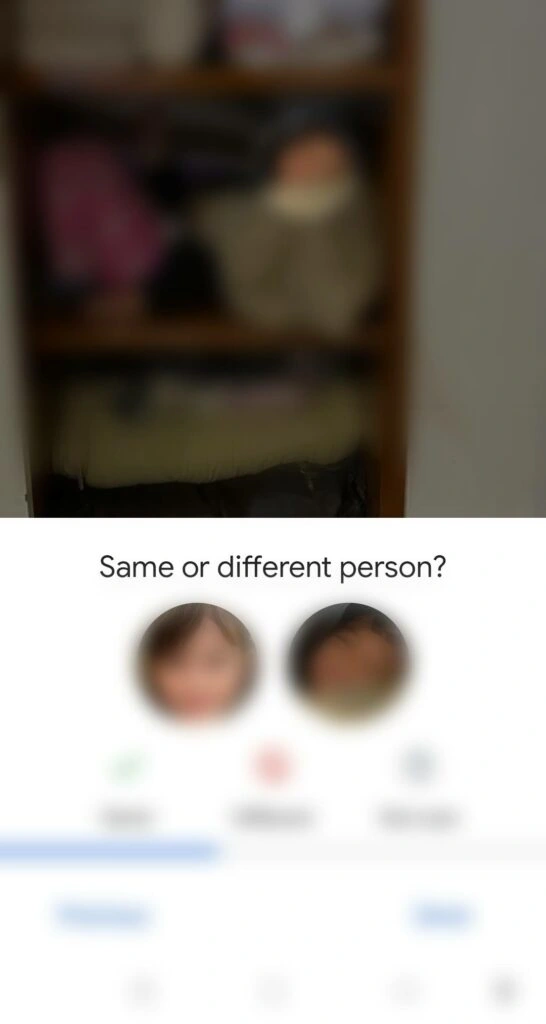
 When the system encounters new images with faces resembling ones it has seen before, it may ask you to help confirm a match. Prompts such as “same or different?” provide feedback about whether the proposed pictures show the same person. Confirming a correct match or rejecting an incorrect one helps improve the organisation of your own pictures. That immediate benefit is clearer categorisation by person. Your feedback can also help correct the groupings over time; this is not a promise that every subsequent result will be accurate.
I hope this post has introduced the possibilities of Google Photos and ways to use it to manage a photo collection. Good information management can improve results and efficiency. Keep track of your information and make an effort to preserve it. The familiar saying “knowledge is power” feels more relevant than ever. See you in future posts about information and how we use it independently in everyday life.